
Flight School Booking can receive information from flight loggers, specifically the AutoLog managed by CloudBaseGA.
If you would like your flights to be imported automatically, log in to your CloudBase account and follow these steps to allow Flight School Booking access to your aircraft logged data.
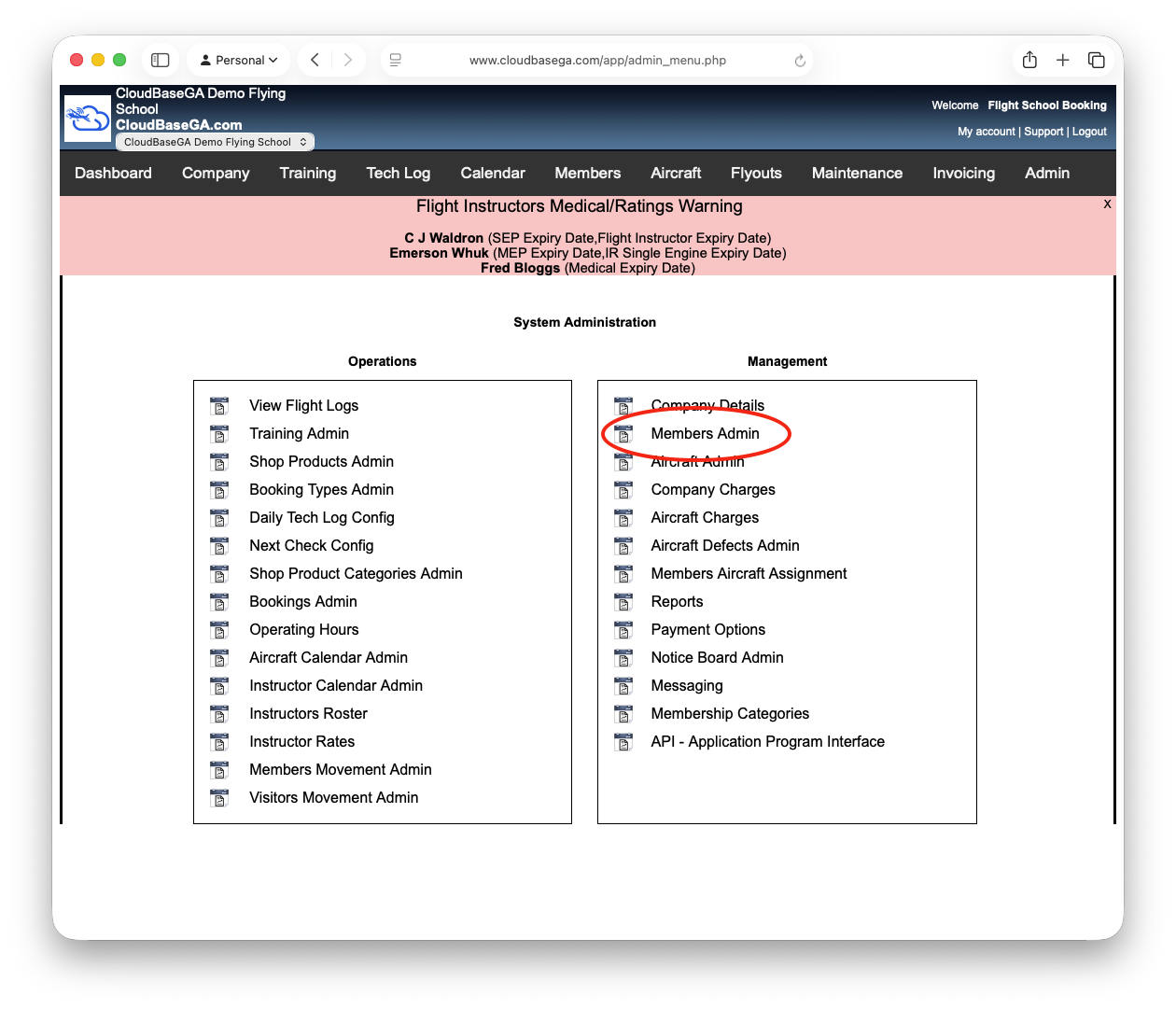
First, on Admin, click Members Admin:
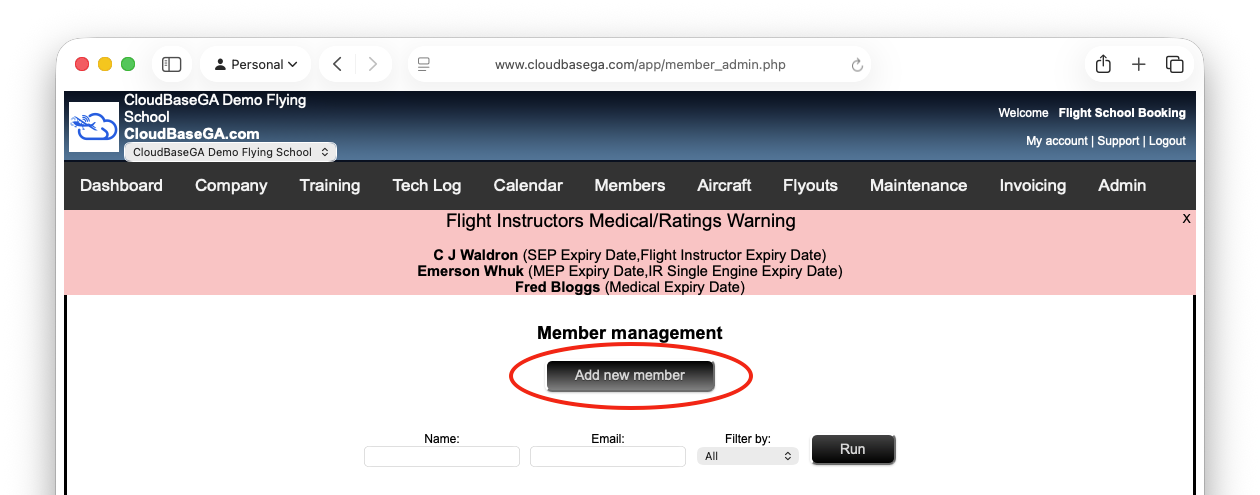
Next click Add new member:
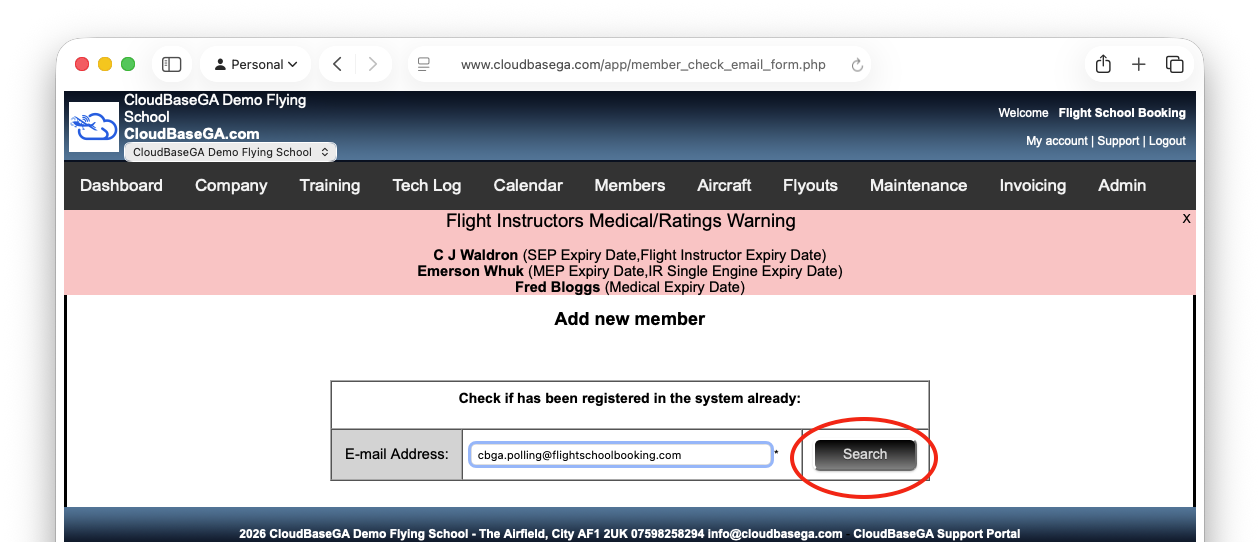
Fill in our account email address as shown and click Search:
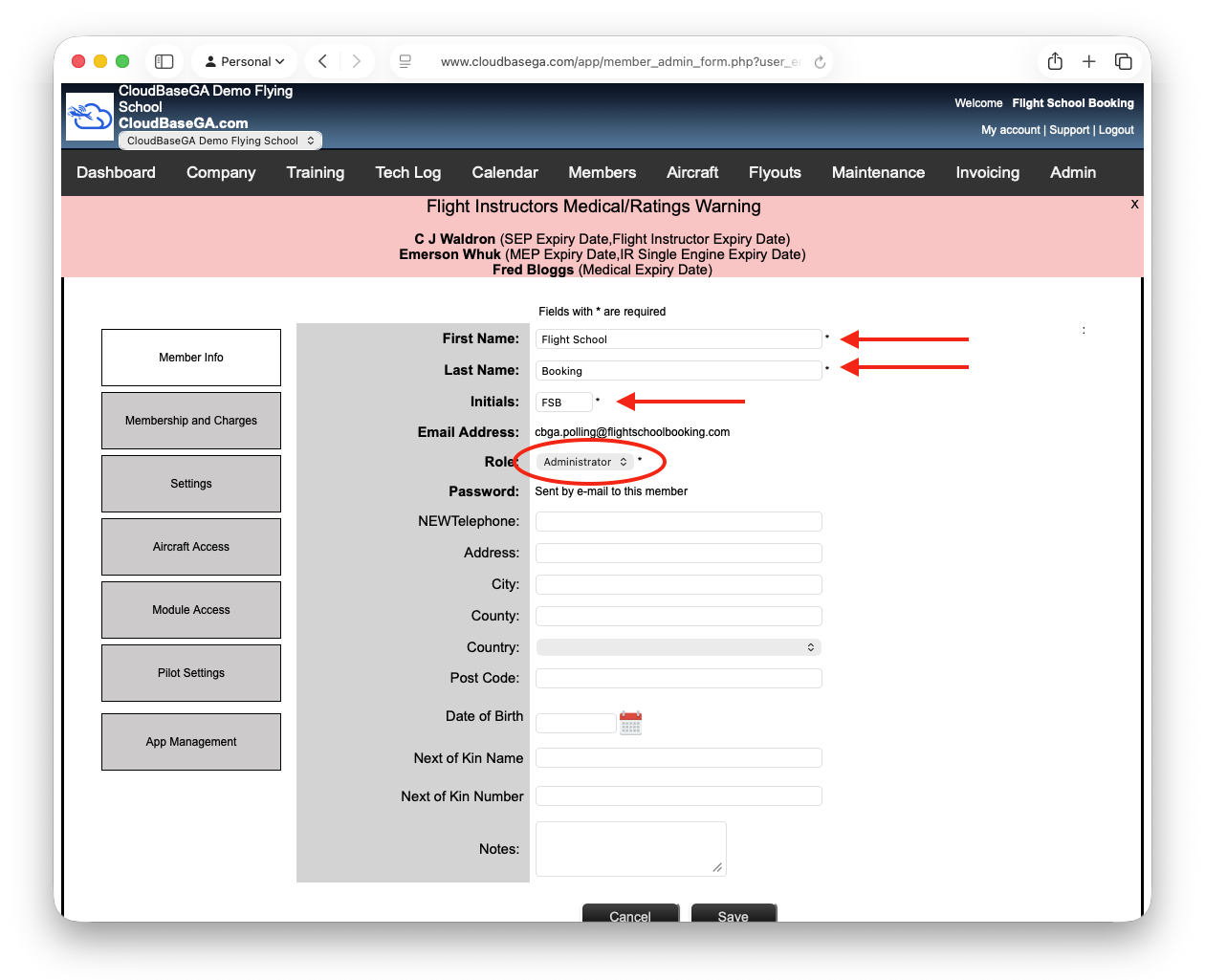
This should show a blank form. Fill in the name fields as shown, and set the role to Administrator. At the moment, only the admin role has access to read AutoLog data from CloudBase.
When you click Save, return to your Flight School Booking system and for each aircraft fitted with a logger, make sure the settings are as follows:
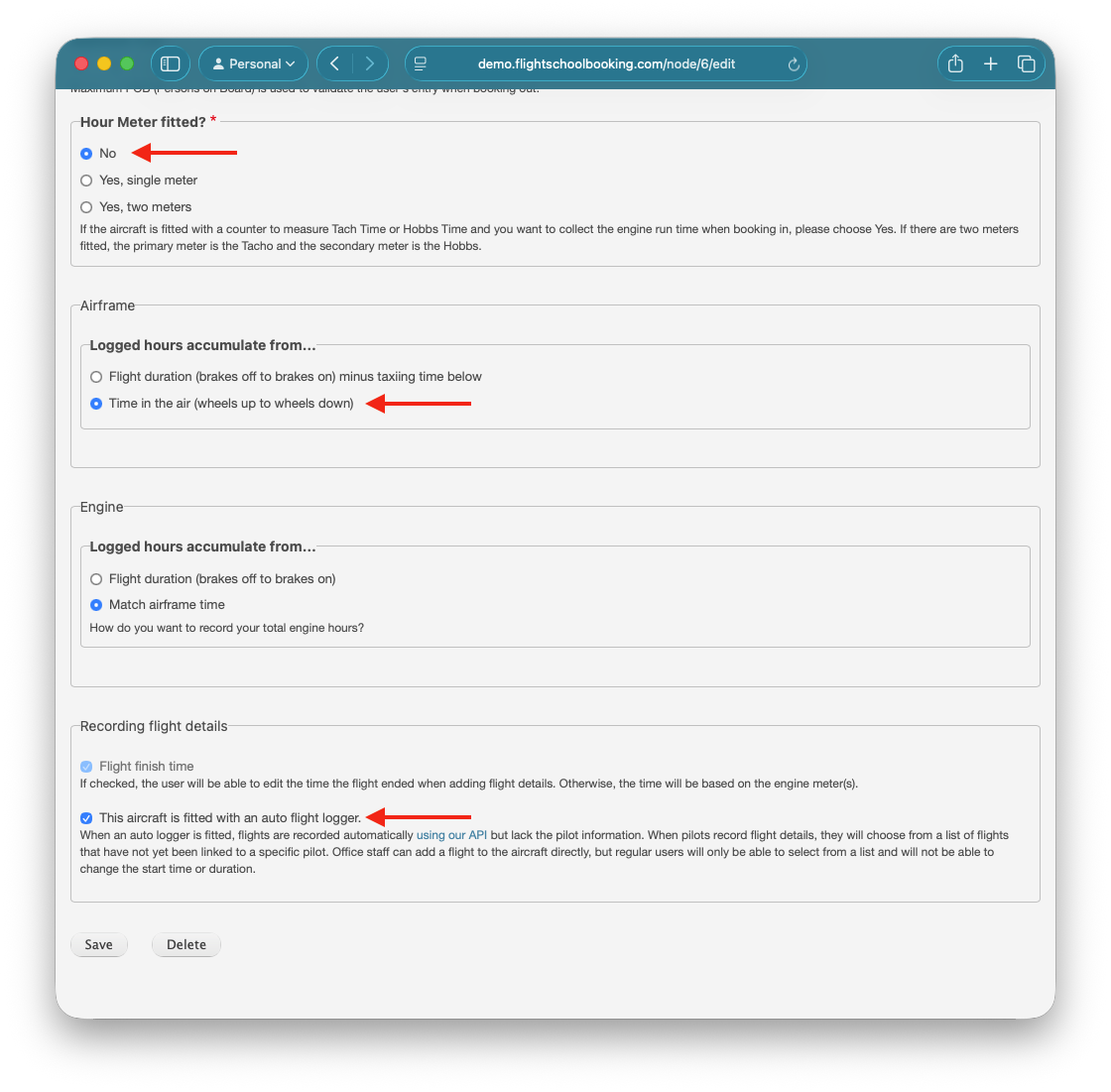
Unless "This aircraft is fitted with an auto flight logger" is ticked, no data will be accepted from the flight logger.
Next, get in touch with us and we will configure your Flight School Booking system to receive the flights as they happen.