
The system can keep track of scheduled and unscheduled maintenance. Use of these features is optional; you can choose to keep paper or other electronic records instead and the other processes in Flight School Booking will work without maintenance or service records.
If you choose to use the system to track maintenance, you can configure various items on a schedule for each aircraft.
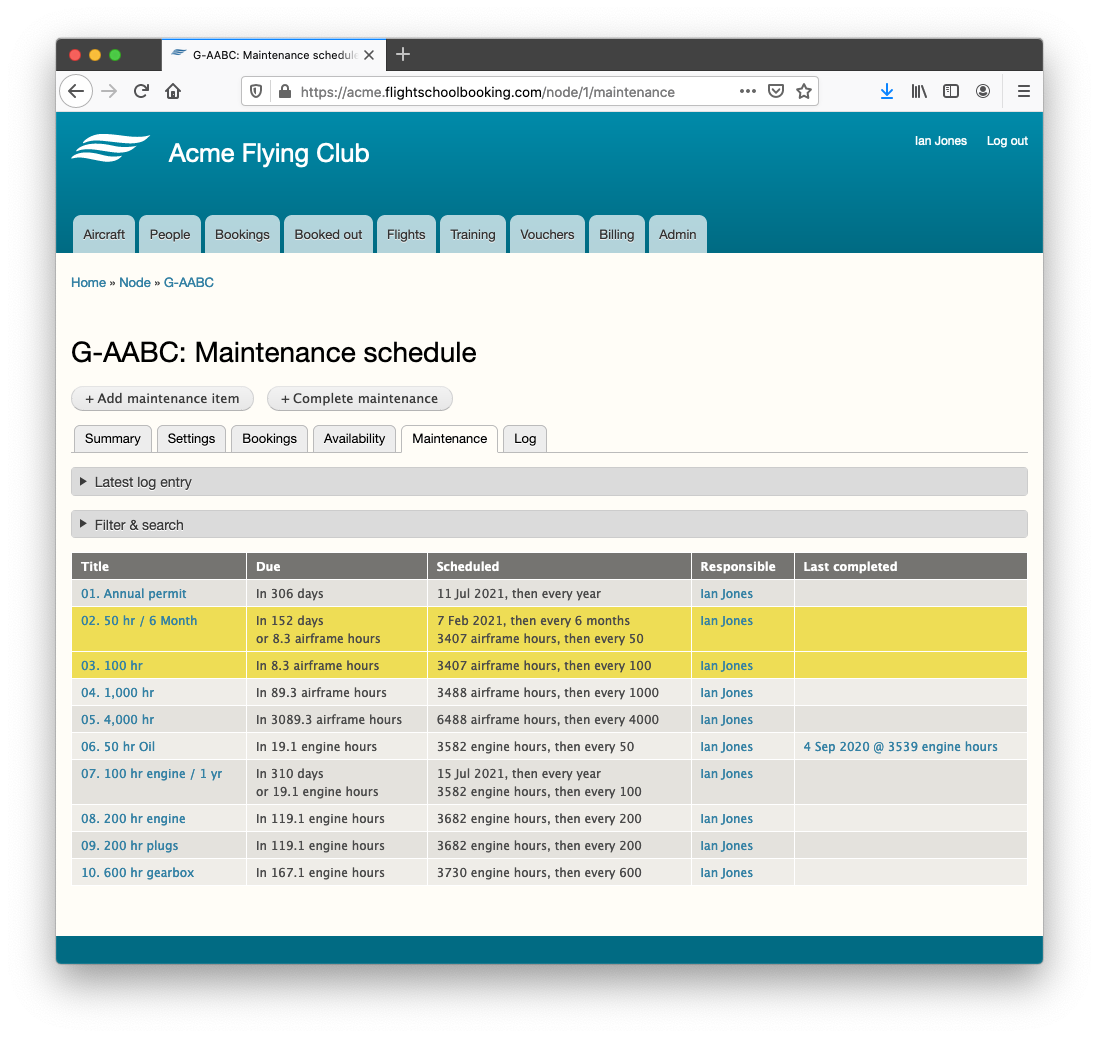
You can view the maintenance schedule by clicking the Maintenance tab for an aircraft.
The schedule lists each maintenance item (for example, "50 hour / 6 month check") and each can be due by either a due date or aircraft hours. The interval for each is programmable, as are rules about how to handle the next due hours if an item is completed earlier or later than due. A simple traffic light based system can be used to highlight items coming near their due date/hours. Reminder emails can be sent to a user in the system when the status changes.
Open the aircraft and click its Maintenance tab, then Add maintenance item. For each item (for example “50 hour / 6 month check”) you can set:
- Whether it is due by a date, by aircraft hours, or both.
- The interval — for example every 50 hours, or every 6 months (daily, weekly, monthly or yearly).
- How to handle the next due point if the work is done early or late (carry the difference forward, or reset from the date completed).
- Amber and red warning points — how many days or hours before due the status should change colour.
- Who should be notified by email when the status changes, and how often to repeat the reminder (under Admin > Reminders & follow-ups > Maintenance).
- Whether the maintenance item should prevent the aircraft from booking out (if overdue).
When you complete an item, the system records the date and hours and adds a service entry to the aircraft log for you. To save time, you can also Import or duplicate a schedule from another aircraft of the same type and then adjust it.
Note: Using the maintenance feature is optional. The traffic-light status and reminder emails are there to help you plan. Each maintenance item can be set to prevent the aircraft from being booked out.
Normally everyone in the "engineer" role is sent an email when maintenance is near due. The system only sends maintenance messages to people that are able to see the aircraft in the system (see aircraft settings tab). Also, if you prefer someone other than an engineer to receive the notifications, you can choose someone else, again in aircraft settings.