Custom booking form colours
Colours are used on the booking form to quickly see which aircraft instructors are working on. Each instructor has their own colour, which is assigned by the system automatically.
This is our general news and announcements page.
Colours are used on the booking form to quickly see which aircraft instructors are working on. Each instructor has their own colour, which is assigned by the system automatically.
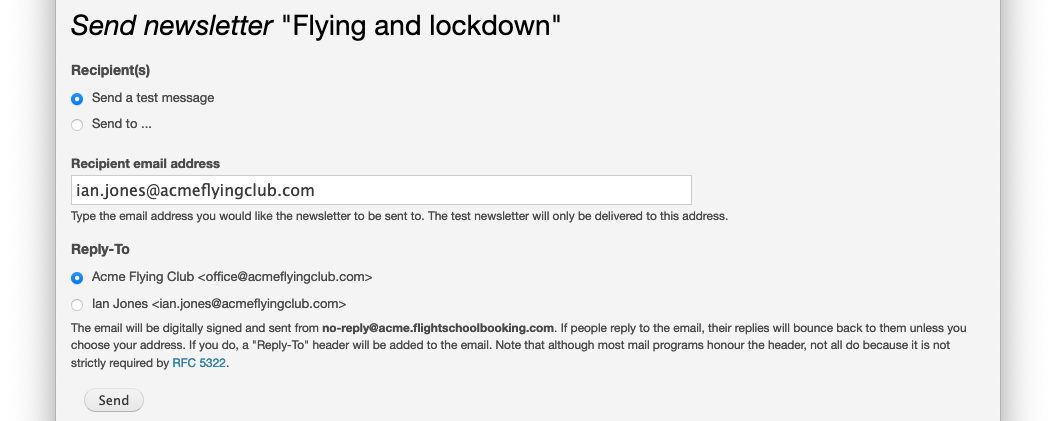
When sending a newsletter, you can now choose whether you want the email to show the school's address or your own.

Our document attachments feature allows you to upload images, PDFs and other files and associate them with a user or aircraft. Schools use it to upload the insurance certificates for each aircraft and have set reminders to warn them as the expiry date approaches.
But there are other places where you might want to attach files, down at a record level:
Wouldn't it be lovely if you could just record the flights in Flight School Booking and let the system handle invoicing, payments and your bookkeeping?
Now you can!
You might already know Flight School Booking can sell vouchers for air experiences, ground school and so on.
Until now, this has only been available on the Gold Plan. But we're now making that feature available on the Silver Plan.
After a suggestion we received from one of the schools, we've added some options under Admin > Billing > Notifications.
These allow you to turn off the notification emails sent to customers when a new invoice is added to their account. You can also choose a delay of up to 7 days.
Feedback we received was that students on a land-away were surprised at receiving an invoice so quickly after their first flight and by adding a longer delay (e.g. 5 hours) the student would receive them at home.
Customer information becomes outdated when people move house, or change their phone number or email address. When you give your customers access to the system, they can maintain this information themselves. But it's easy to forget.
User summary tabs now include a Contact information section, which displays a warning if the user is missing an email address, postal address, phone number or next of kin.
You'll find new settings under Admin > Bookings.
The orginal setting to add time slots if sunset is later than office hours has been extended to allow for removing slots and for an allowance (in minutes). The system can be set to remove slots from the booking form if the slot is during sunset (+ the allowance).
Someone recently pointed out how time-consuming it was to use the system for cash sales.
We suspect most flying schools are not handling a lot of cash, and not putting through large numbers of cash transactions.

Some schools have asked about closer integration between Flight School Booking's billing system and their bookkeeping software. This would save entering each invoice or customer in the bookkeeping package while still having a copy of every transaction. We don't think it's necessary to duplicate this information - see "Simplify your bookkeeping", but if you would still rather keep everything in the books, read on!