
Passkeys have been available for a few years, and you can now require them for specific user roles.
Passkeys are far more secure than passwords. Since instructors and office staff often have high-level access to student records, billing, and personal data, enforcing passkeys for these roles reduces two common risks on shared office or clubroom computers:
- Shoulder surfing – someone watching a password being typed
- Email-based reset – if the shared computer also has access to a user account email, a password reset link can be used to gain unauthorised access
You’ll find the new controls under Admin > Basic settings > Security. From there, you can enforce passkey use by role and disable passwords and emailed login links where appropriate.
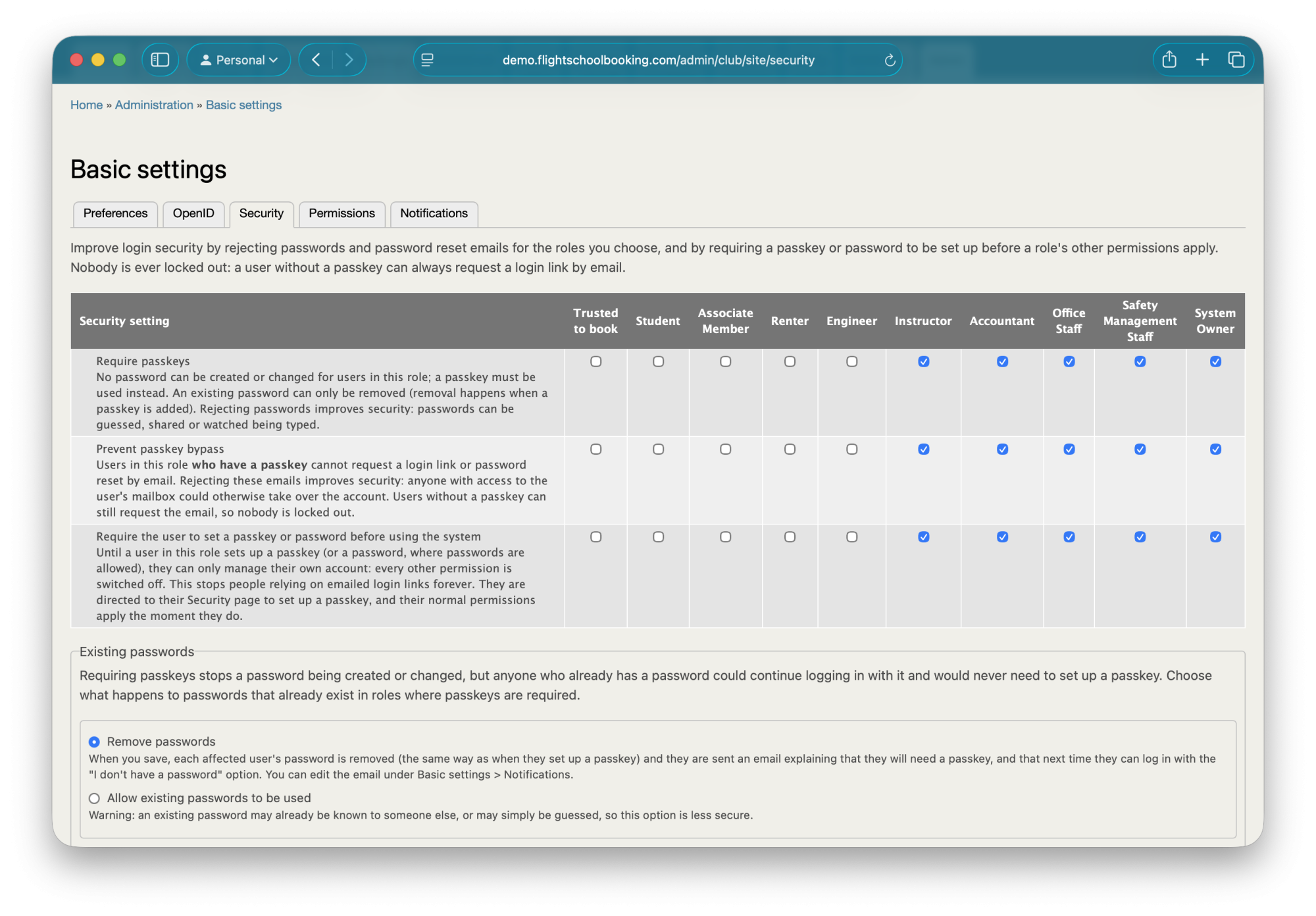
Students and members typically have restricted access, so no changes are needed there. But if you have custom roles with elevated permissions, it’s worth switching those to passkeys.