
If you're making use of an Office Display in your system, we have improved it for you by making it full screen. This removes all the surrounding colours, tabs, breadcrumbs and so on, leaving just the bookings for the day (see below).
To switch to this view, use the office display to view the bookings and click Display full screen.
The full screen version still has manual navigation, if you want to quickly check tomorrow's bookings for example.
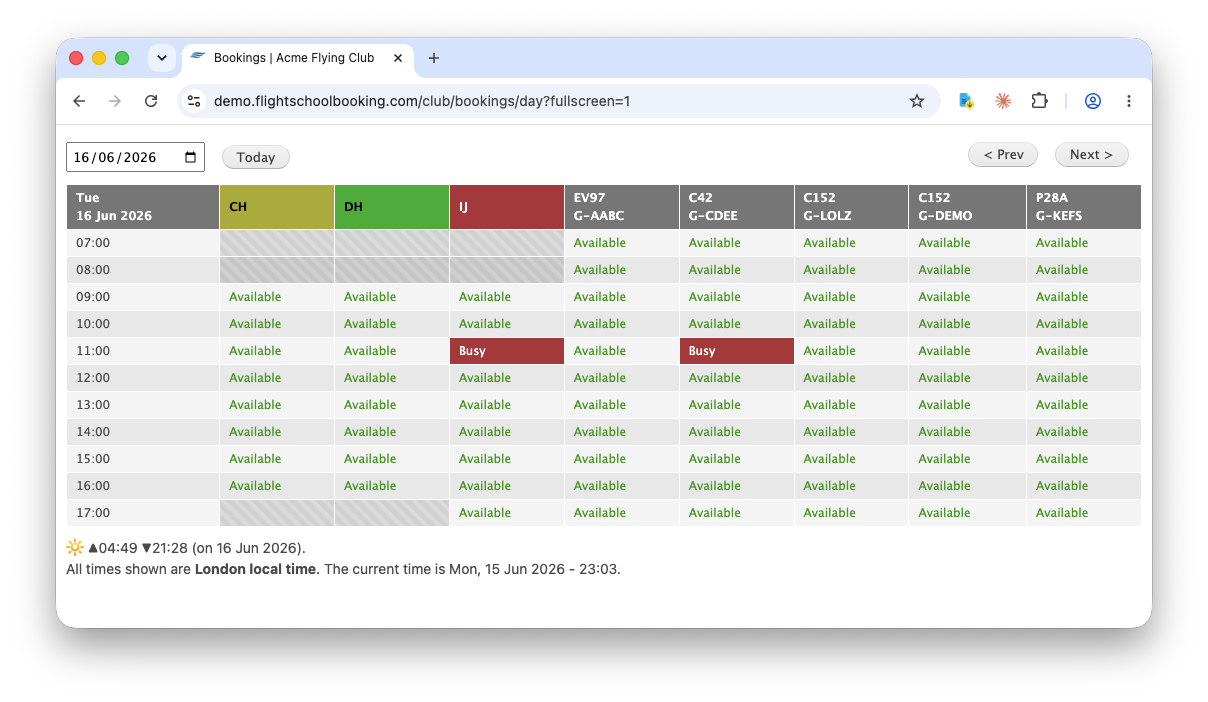
We think this will still work best on large displays, and much improved on smaller screens such as tablets.