
You may be using the system to keep track of maintenance and expiry dates for aircraft insurance, radio licence etc., but have use of aircraft that you're not responsible for.
Until now, if someone else is responsible for an aircraft in your booking system, you would have either forwarded reminder emails to them, or given them full access as an engineer to all your aircraft.
From now on, you can choose a specific person to receive reminders instead of the office staff and engineer roles - See screenshot below.
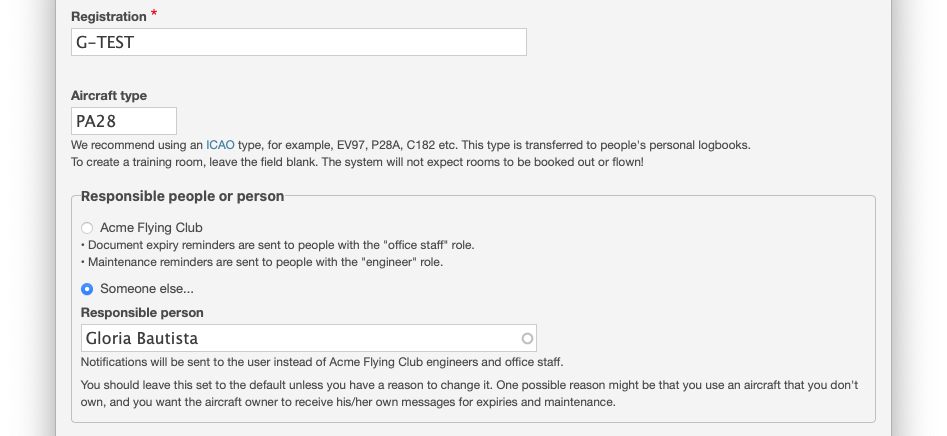
You can use permissions to set someone up with no access to view your other school aircraft, only those aircraft where they are named as the responsible person. To do this, set up a new role in the system with permissions matching the engineer role, plus "Add aircraft document" and "Edit any aircraft document". That way they can manage their aircraft maintenance and documents. Important: They should not have roles selected on your other aircraft's "Visible to..." list. If they do, they will have full access to those aircraft maintenance and documents.